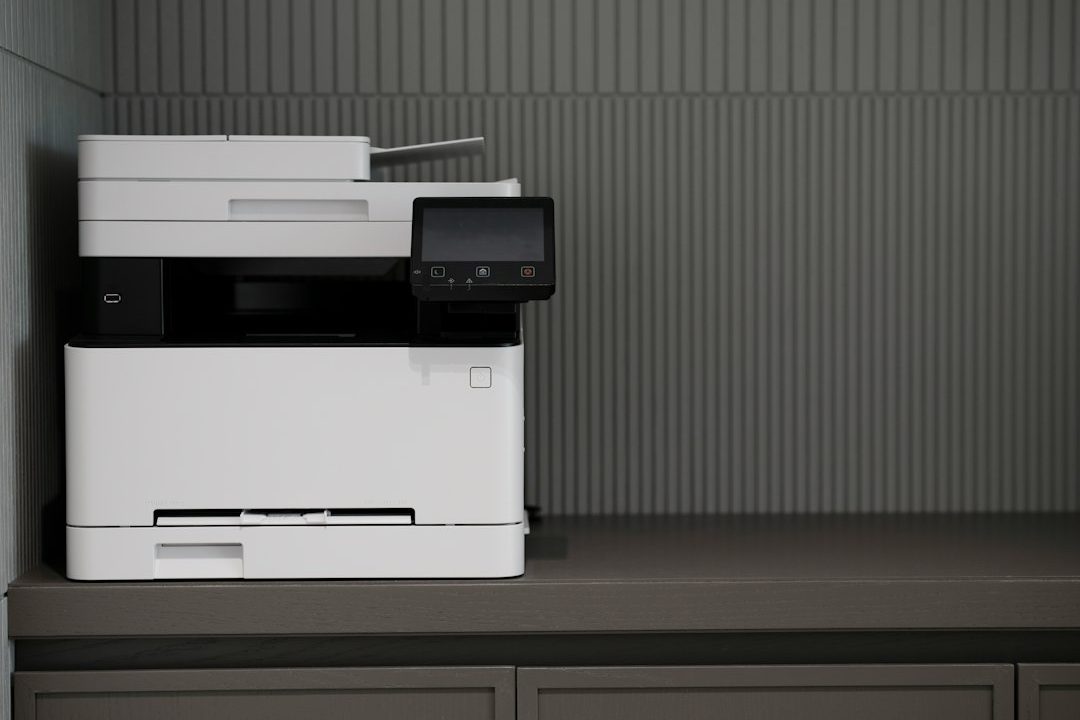
A printer that receives simple, regular care is easier to rely on than one that is cleaned only after a fault appears. Maintenance does not mean opening every panel or running cleaning cycles every day. The right routine depends on the printer type, workload, paper environment and manufacturer guidance. A small office inkjet, a busy laser multifunction device and a production printer all have different service requirements.
Begin with the manufacturer’s schedule
Find the maintenance section of the exact model’s user guide. It explains which parts users may clean, which supplies are replaceable and which procedures require a technician. Follow the stated intervals and warnings rather than applying instructions from a different printer family. Some devices track page counts or display maintenance reminders; treat those alerts as a prompt to consult the manual.
Keep a basic record of the model, serial number, page count, consumables and recent service work. For a shared office, record the date and the person who completed each task. This makes it easier to notice recurring paper jams, unusually high consumable use or a decline in print quality.
Keep the exterior and paper path clean
Turn the printer off and allow hot components to cool before cleaning areas identified as user-accessible. Use a soft, lint-free cloth for the exterior. Do not spray liquid directly onto the printer, use household solvents or push tools into openings. If the manufacturer permits a lightly damp cloth, apply moisture to the cloth rather than the device and keep it away from electrical connections.
For paper handling, store paper flat in its original wrapping until needed. Keep it away from humidity, heat and dust. Fan or square the stack only if the printer manual recommends it, and do not fill a tray above its capacity mark. Use the correct paper type and size setting so the printer can manage feed and fusing conditions appropriately.
Check consumables without creating waste
Review ink or toner status and look for leaks, damaged packaging or a cartridge that is not seated correctly. Replace consumables using the model-specific procedure. Avoid touching sensitive imaging surfaces, printhead nozzles or electrical contacts unless the guide tells you to. A low-supply warning does not always mean the cartridge must be replaced immediately, but do not force a depleted cartridge to continue if output quality is affected.
Use the cleaning or alignment utility only when print symptoms justify it. Repeated inkjet head cleaning can consume ink, while unnecessary maintenance cycles may interrupt work. Print a nozzle check, alignment page or quality report when the manufacturer recommends it, then compare the result with the expected pattern.
Review firmware and security notices
Firmware is part of routine maintenance because it controls device behavior and may include reliability or security fixes. Check the official support page for the exact model at planned intervals. Read release notes, confirm the update applies to the device and schedule installation when the printer is not needed for urgent work. Do not interrupt power during a firmware update.
Also review network and administrator settings. Remove unused accounts, change default credentials and confirm that only required network services are enabled. If the printer is managed by an IT provider, coordinate updates with the fleet administrator so local changes do not conflict with central policy.
Run a short functional test
After maintenance, print a simple test page and check text sharpness, color, alignment, paper feed and duplex operation if available. For a multifunction printer, test scanning and copying as well. Confirm that the device reconnects to the network and appears in the expected print queue.
If the same defect returns, record the exact error message and the conditions under which it occurs. A recurring jam in the same location may indicate a worn roller or damaged paper path component. Repeated streaks or color defects may point to a consumable or imaging issue. Stop if you notice smoke, an unusual burning smell, overheating or exposed electrical parts, and contact qualified service support.
A simple maintenance rhythm
- Weekly: Check paper supply, visible dust, error messages and the printer’s Ready status.
- Monthly: Review print quality, consumable levels, tray condition and network availability.
- Quarterly: Review firmware notices, administrator access and the maintenance log.
- As needed: Run model-approved cleaning or alignment procedures when symptoms appear.
These intervals are a starting point, not a replacement for the manufacturer’s schedule. High-volume environments may need more frequent checks, while lightly used devices may need less frequent intervention.
Make maintenance repeatable
Assign responsibility for routine checks and keep the relevant manual easy to find. A consistent process helps staff recognize changes early and avoids unnecessary disassembly or cleaning. The goal is not to perform the most maintenance; it is to perform the correct maintenance at the right time.
Reading time: 5–6 minutes.