Good inkjet print quality depends on more than the cartridge level shown on the screen. Paper condition, the printhead, the printer’s environment and the way maintenance tools are used all affect results. A simple routine can reduce streaks and wasted ink without subjecting the device to unnecessary cleaning cycles.
Use the right paper and store it properly
Choose paper that matches the job and the printer’s specifications. Plain office paper, photo paper and specialty media have different coatings and thicknesses. Load the correct side facing the direction shown in the tray diagram, adjust the paper guides so they touch the stack without bending it, and avoid filling the tray beyond its limit.
Keep unused paper flat in its packaging and away from humidity, heat and dust. Damp or curled sheets can feed unevenly and cause smudges or jams. Fan the stack only if the printer manual recommends it; excessive handling can introduce dust or static.
Understand when a nozzle check is useful
If text looks broken, colors are missing or thin lines appear in images, print a nozzle-check pattern using the printer’s maintenance utility. The pattern helps determine whether ink is reaching the page consistently. Follow the model-specific instructions to interpret the result. A faint or missing segment may indicate a clogged nozzle, but it can also be related to an empty cartridge, an incorrectly seated supply or unsuitable media.
Run a cleaning cycle only when the test indicates it is needed. Cleaning uses ink, and repeated cycles can consume a noticeable amount without improving a problem caused by paper, settings or a damaged component. If one cycle does not help, allow the printer the rest period recommended in its guide before testing again.
Handle cartridges carefully
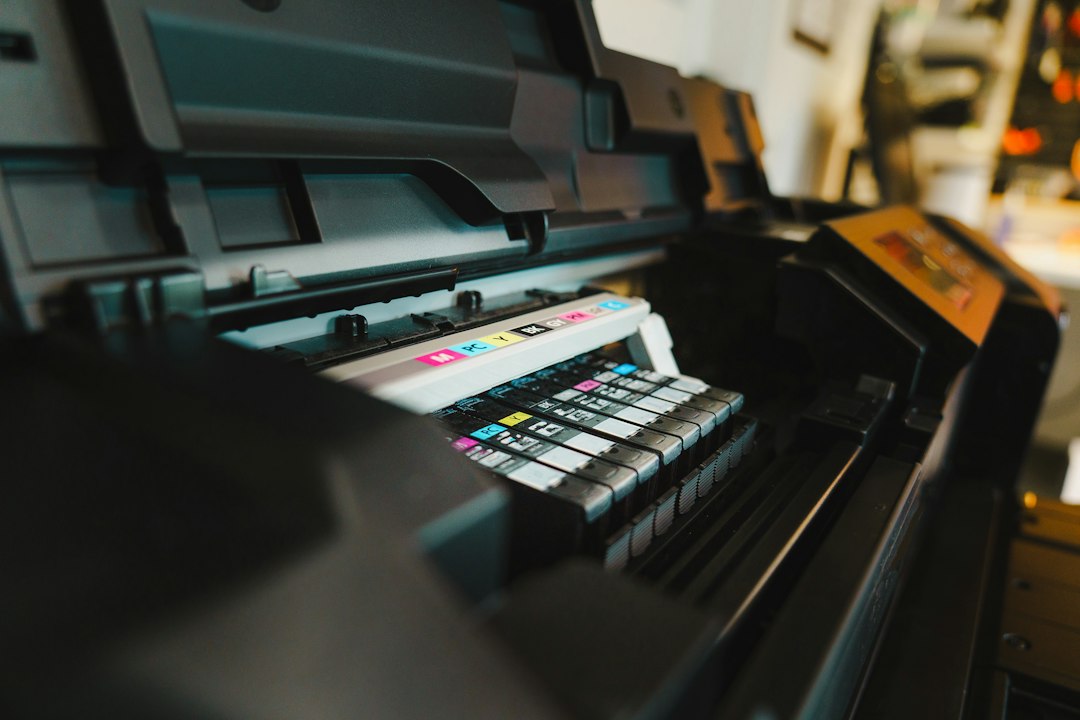
Use supplies that the manufacturer lists as compatible with the exact model. Before replacing a cartridge, check the printer’s instructions for its position and removal method. Avoid touching electrical contacts or nozzle surfaces, and do not remove protective tape until the instructions say to do so. Install the cartridge firmly and close the access cover before running any alignment procedure.
Do not leave a cartridge or printhead exposed for longer than the manual permits. If a printer will be unused for an extended period, follow the manufacturer’s storage guidance rather than improvising with plastic wrap, solvents or manual disassembly.
Keep the exterior and paper path clean
Turn the printer off using its power button and disconnect it if the manual calls for that before cleaning. Wipe the exterior with a soft, lint-free cloth. Never spray liquid directly onto the device or pour cleaning fluid into openings. Only clean user-accessible areas described in the manual. Do not force rollers or reach into moving parts.
If paper dust accumulates, use the recommended method to clean accessible feed areas. Avoid household vacuum attachments or compressed air unless the manufacturer explicitly permits them; these can move debris deeper into the mechanism or damage sensitive components.
Choose print settings that fit the job
For everyday drafts, standard or economy mode may be adequate and can reduce ink use. Use higher-quality settings for photos or graphics when the media supports them. Selecting the wrong paper type can cause excess ink, slow drying or poor color. Before printing a large batch, produce one sample page and inspect it under normal lighting.
Use duplex printing when appropriate to reduce paper consumption, but confirm that the paper weight and type are supported. For photos, follow the paper maker’s recommendations for handling and drying after printing.
Know when maintenance is no longer a user task
Persistent banding after the documented maintenance steps, unusual grinding noises, repeated feed errors or visible leaks are reasons to stop and consult the service guide or an authorized technician. Avoid disassembling the printhead or using alcohol and household solvents unless the manufacturer specifically instructs it.
A balanced routine is better than constant cleaning. Store paper correctly, use compatible supplies, run diagnostic patterns when print quality changes and follow the exact model’s maintenance instructions. These habits help protect the printer while limiting unnecessary ink and material waste.
Build a maintenance schedule that fits usage
A home printer used occasionally does not need the same routine as a device producing hundreds of pages each week. Instead of running cleaning tools on a fixed daily schedule, inspect output when you print and use the manufacturer’s diagnostic pattern when quality changes. For a shared office printer, assign someone to check the paper supply, exterior condition and displayed warnings at a sensible interval. Record recurring issues so that a technician can see whether a fault is becoming more frequent.
If the printer will be unused for several weeks, consult the manual for storage and power recommendations. Some inkjet models manage their printhead when they are shut down normally, so disconnecting power abruptly may prevent the device from completing its parking procedure. Do not leave the printer exposed to dust or extreme temperatures, and do not remove cartridges simply because the device will be idle unless the manufacturer says to do so.
Reduce waste without risking the device
Preview documents before printing, use duplex mode for suitable office work and select draft quality when a presentation-quality result is unnecessary. Recycle cartridges through a manufacturer or local program where available. Avoid third-party cleaning liquids and improvised procedures that promise to clear a blockage quickly; they can damage seals, electrical contacts or the printhead. If the recommended maintenance process does not resolve the issue, stop and ask an authorized service provider for advice.
Reading time: 4–5 minutes.